 Seylo
SeyloBlog · 5 October 2026 · 2 min read
Where to keep design references, and remember why they worked
Screenshots folders and Pinterest boards keep the picture and lose the reason. Keep the verdict with the reference, group references by kind, and bring them into the work when you need them.
Most designers keep references somewhere: a folder of screenshots, a Pinterest board, a pile of bookmarks, a Figma page called Inspo. Six months later you remember saving a pricing page that did something clever. You find the picture. You do not find what was clever about it, or whether you tried it and it fell flat.
A reference is only half the picture. The other half is the verdict: did it work, and why. That is the part almost every tool drops.
Keep the verdict with the reference
In Seylo every reference in your Library can be marked as worked or didn't work, with one line saying why. One plan, one button. Shot in grey light, so the material reads. The line is short on purpose: it has to be quicker to write than to forget.
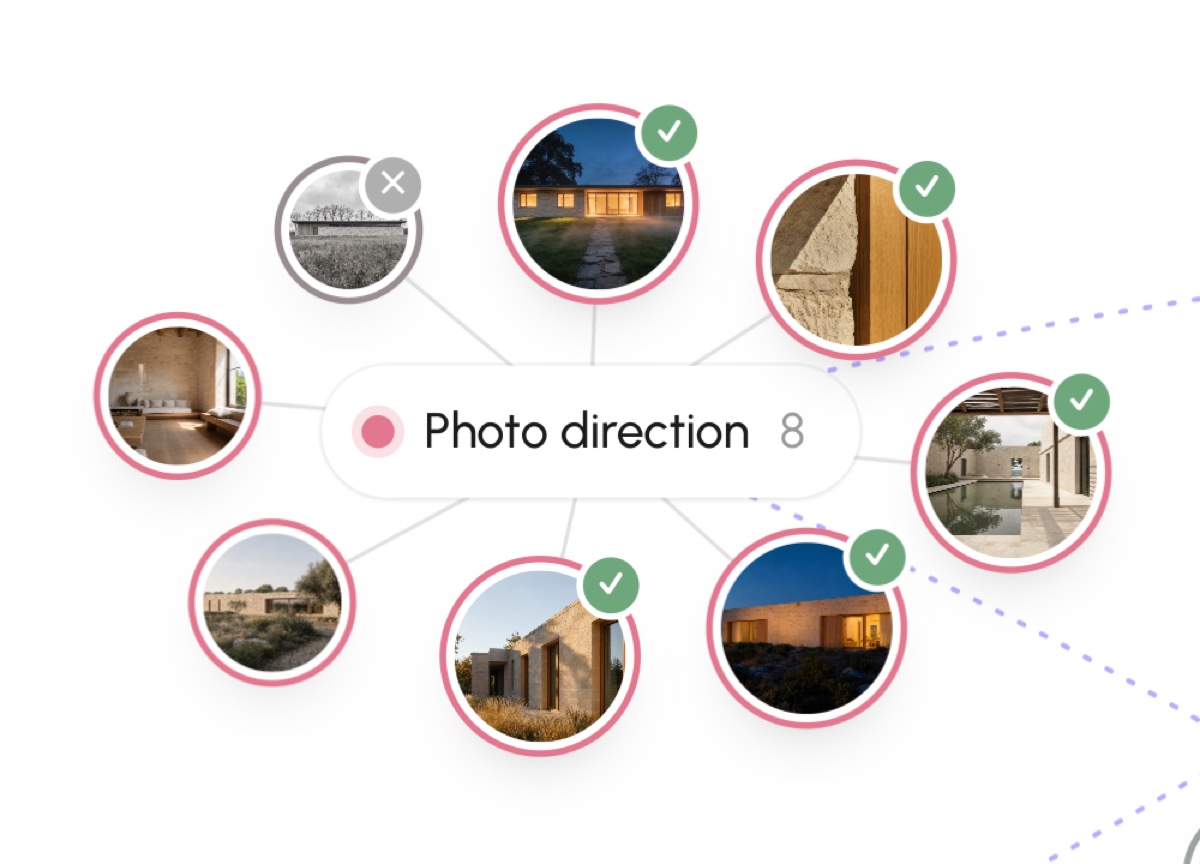
Keeping what did not work matters as much as keeping what did. It is the reference that stops you, or the AI helping you, from walking back into the same idea.
Group references by kind, not by project
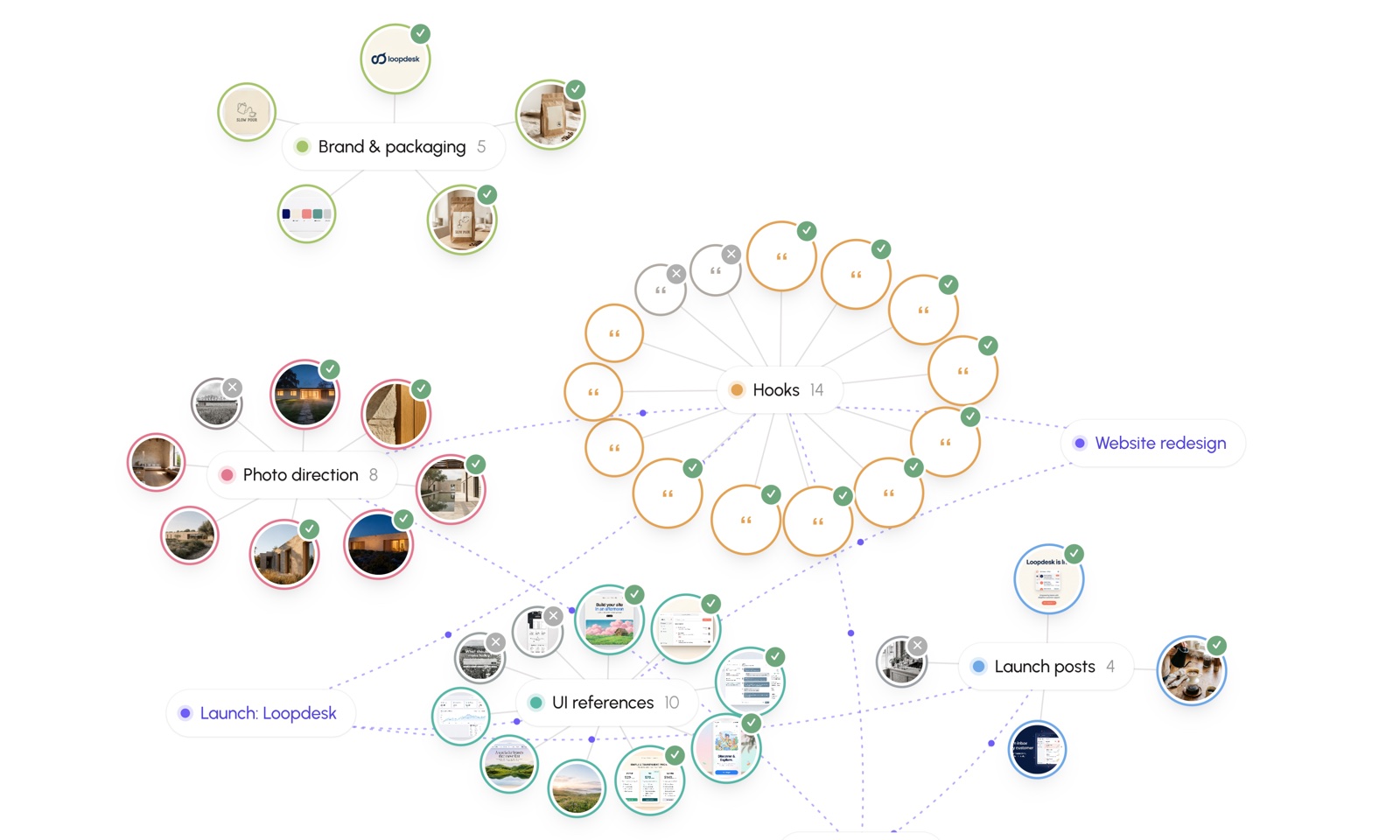
Good references outlive the project you found them for. So the Library sits outside your projects, and groups references into islands by kind: hooks, onboarding screens, pricing pages, photo direction, packaging. When a new project needs a pricing page, the island of pricing pages is already there, with the verdicts on it.
Save them the moment you find them
- From any page in Chrome, right-click a picture or a selection and save it to the Library, onto the island it belongs to.
- Take a screenshot of part of a page with one shortcut, and it lands as a picture named after the page.
- Save from your AI tools too: a hook ChatGPT wrote that is worth keeping is a reference like any other.
The page you saved it from is kept with it, so the reference always links back to where you found it.
Bring them into the work
A reference board is useful only if it reaches the work. Two ways in Seylo:
- Attach an island to a project. The AI tools connected to that project then read the island as reference: leaning on what worked and steering clear of what did not, without mistaking it for the project's own decisions.
- Add a copy of one reference into a project and a space in it, when it becomes part of the work itself. The original stays in the Library for the next project.
Every Seylo account has a Library, on the free plan too. Start one, or read how projects and the Library fit together.